iPad and iPhone pilot workspace

SectorPad

Everything for your flight. One place.

Your pilot workspace. From the first briefing to the logbook export.
Duty flow
Briefing to logbook
Pilot tool
iPad + iPhone
Records
Timeline + PDF
SectorPad iPad flight preparation screen SectorPad iPhone duty overview

Built for line operations

The flight day changes fast. The workflow should not get scattered.

Before duty

Keep pickup, report time, weather, crew, documents, and checklist state visible before the day starts.

During turnaround

Move through cabin crew, airplane, flight, and arrival steps without losing the current leg context.

After each leg

Capture the timeline, key operational values, photos, notes, and archive output for later review.

Operational workflow

One duty, one sequence, every leg kept in context.

01

Flight Prep

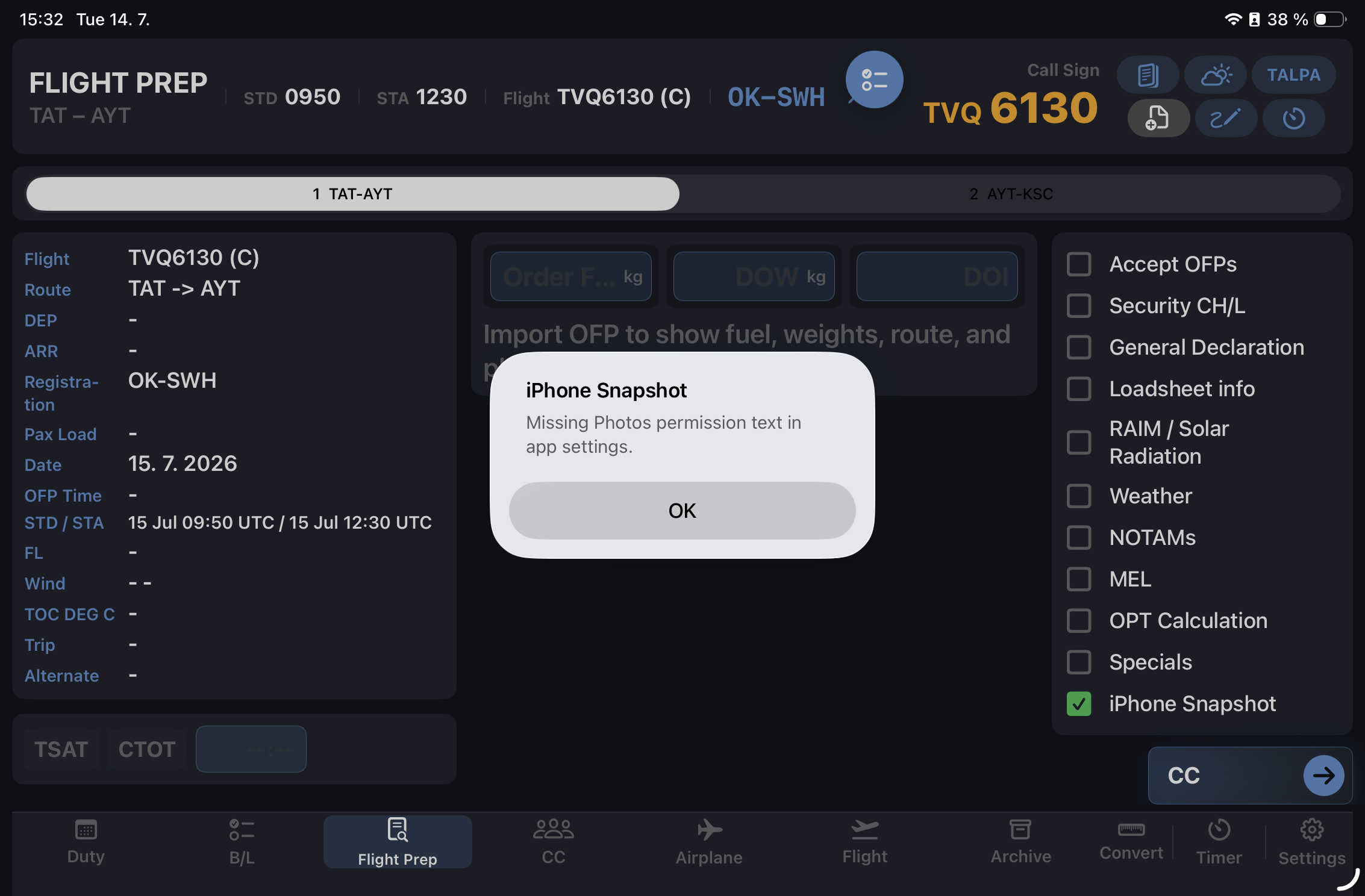
Import OFP, review sector details, confirm documents, check weather, and prepare the flight deck.

02

Cabin Crew + PA

Keep crew data, passenger weather, PA briefing notes, and fit-to-fly events available in the same duty.

03

Airplane + Flight

Track fuel, cockpit values, METAR/TAF, flow control, delays, and next-leg handover data.

04

Archive

Close the leg with a structured record, readable timeline, notes, photos, and exportable PDF summary.

Core tools

Designed around what pilots repeatedly check.

OFP-centered prep

Extract route, fuel, weights, flight level, callsign, and first-page data into the workflow.

Weather at hand

METAR/TAF, passenger weather, SkyVector links, Windy, and station context where it matters.

Timeline events

Record fit-to-fly, ETL, doors closed, in-airplane, checklist items, flow control, and leg closing.

iPhone workflow

Carry duty overview, next sector, crew contacts, pickup countdown, expenses, and operational links.

Notes and photos

Use Apple Pencil notes, attach duty photos, and keep relevant screenshots with the leg record.

Archive and PDF

Review leg summaries in multiple columns and share duty or leg records when needed.

Made for cockpit rhythm

Dense enough for real work. Clean enough to scan quickly.

SectorPad avoids generic note-taking and keeps each screen tied to the active duty, active leg, and operational phase.
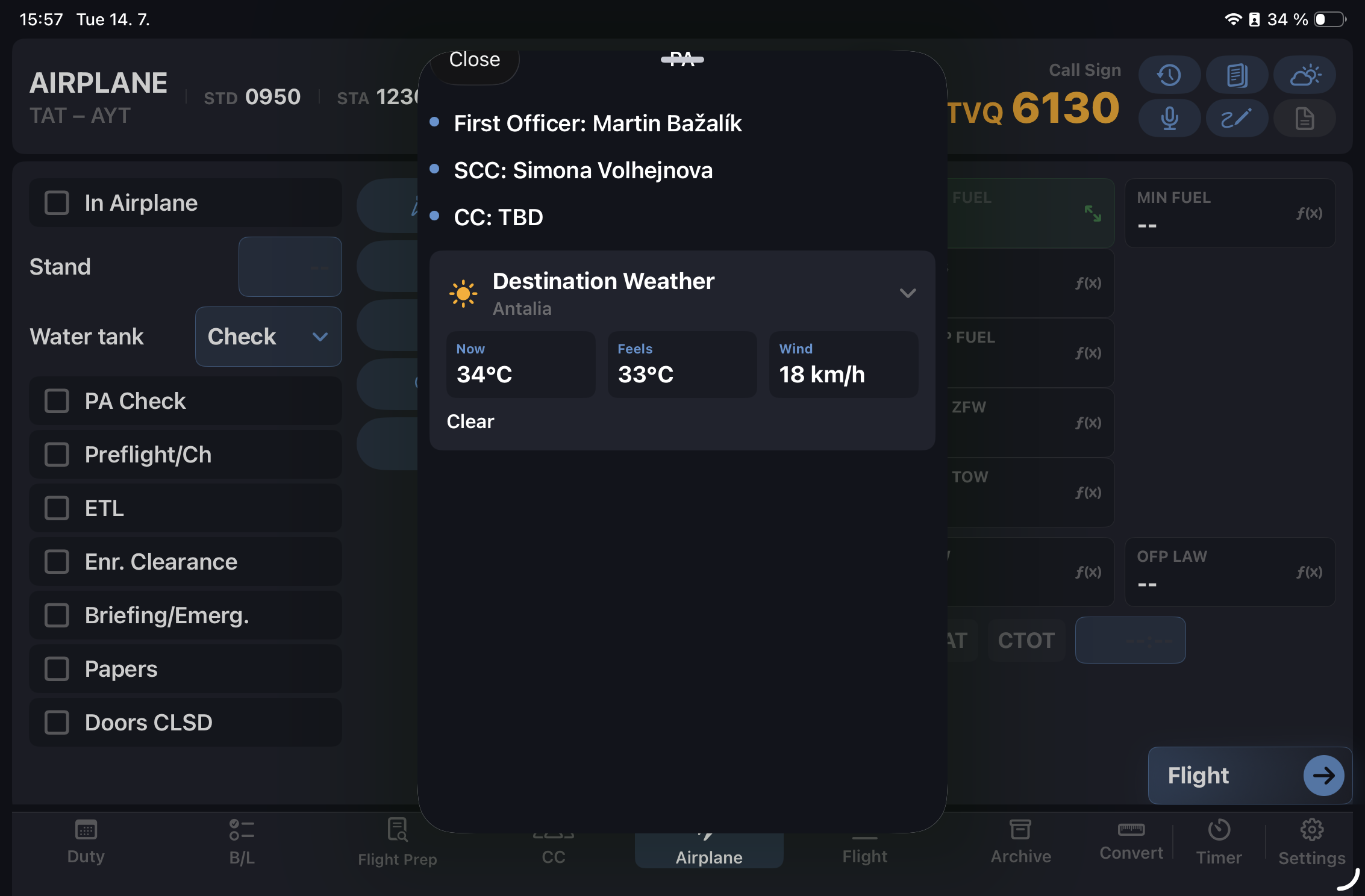
SectorPad iPad airplane PA popover

Everything included

Full feature breakdown.

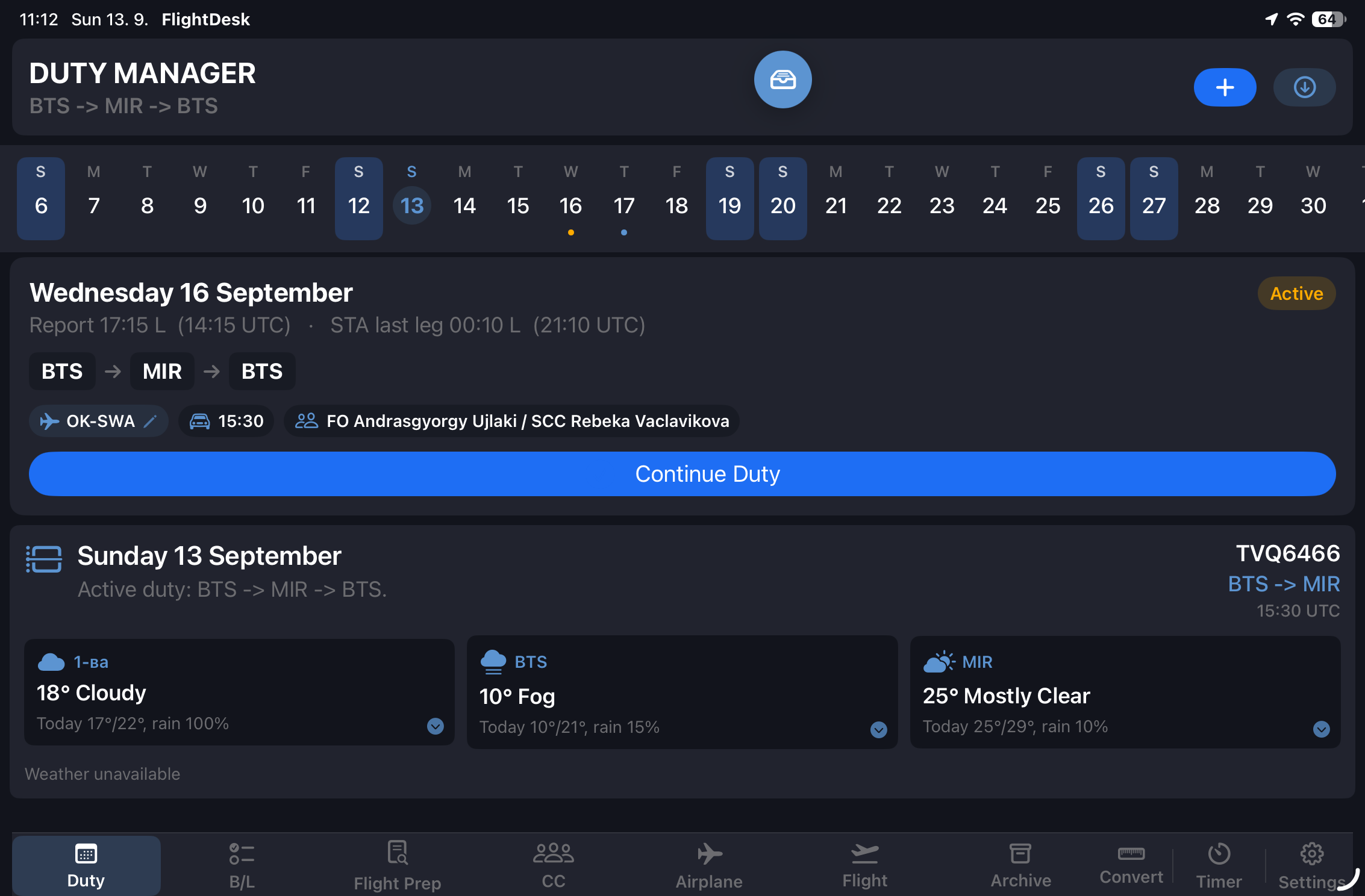
SectorPad duty manager screen

Duty Manager

  • Create duties with report time, flight numbers, airports, aircraft registration, and crew
  • Multi-leg support — advances automatically to the next leg after landing
  • EFA / OFP automatic import from airline dispatch
  • Duty timeline with structured key events
  • Duty status tracking (active / completed)
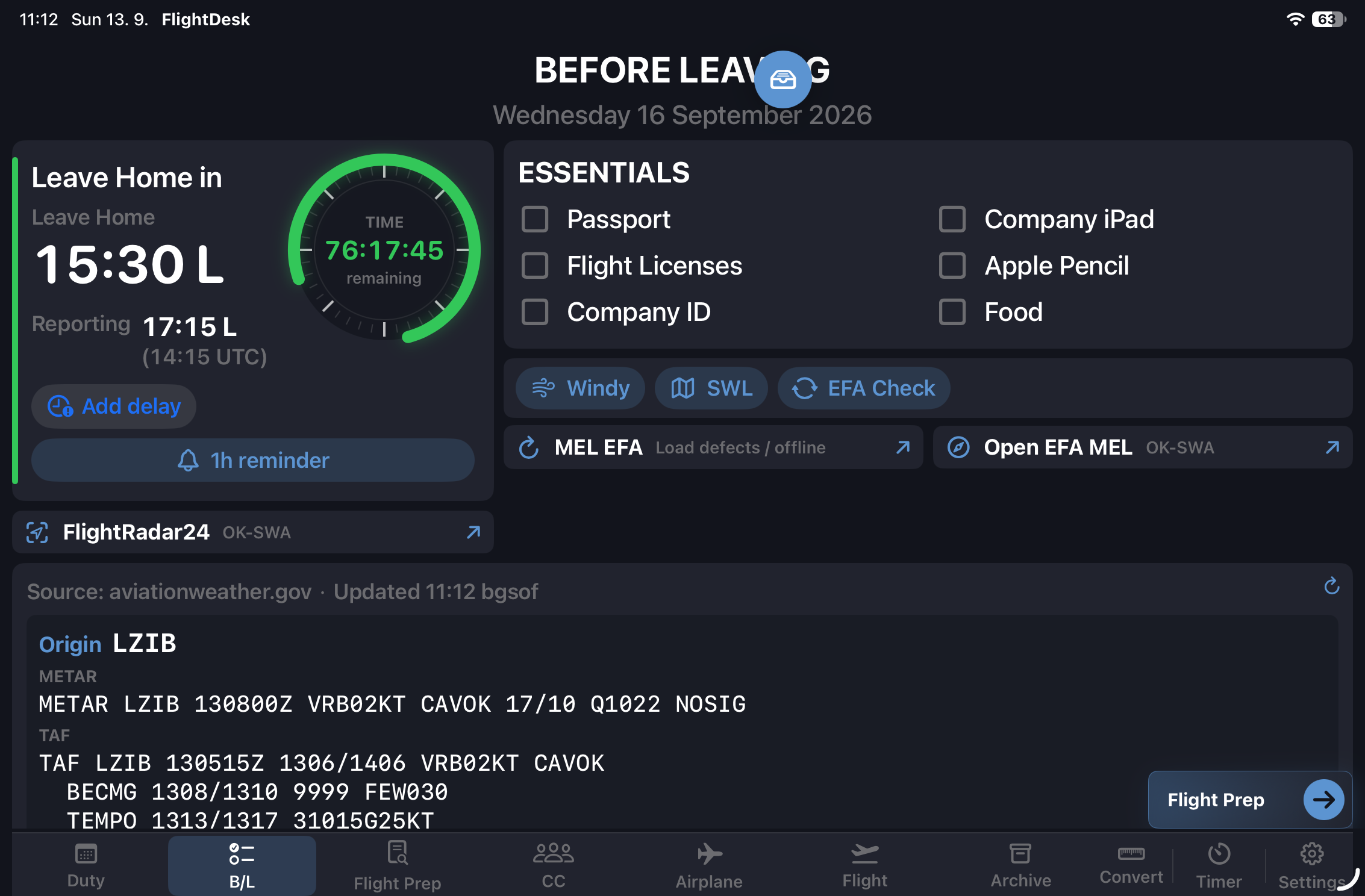
SectorPad before leaving screen

Before Leaving

  • Configurable pre-departure checklist
  • METAR and TAF for departure and destination
  • Delay entry with minute counter
  • Crew notification reminder
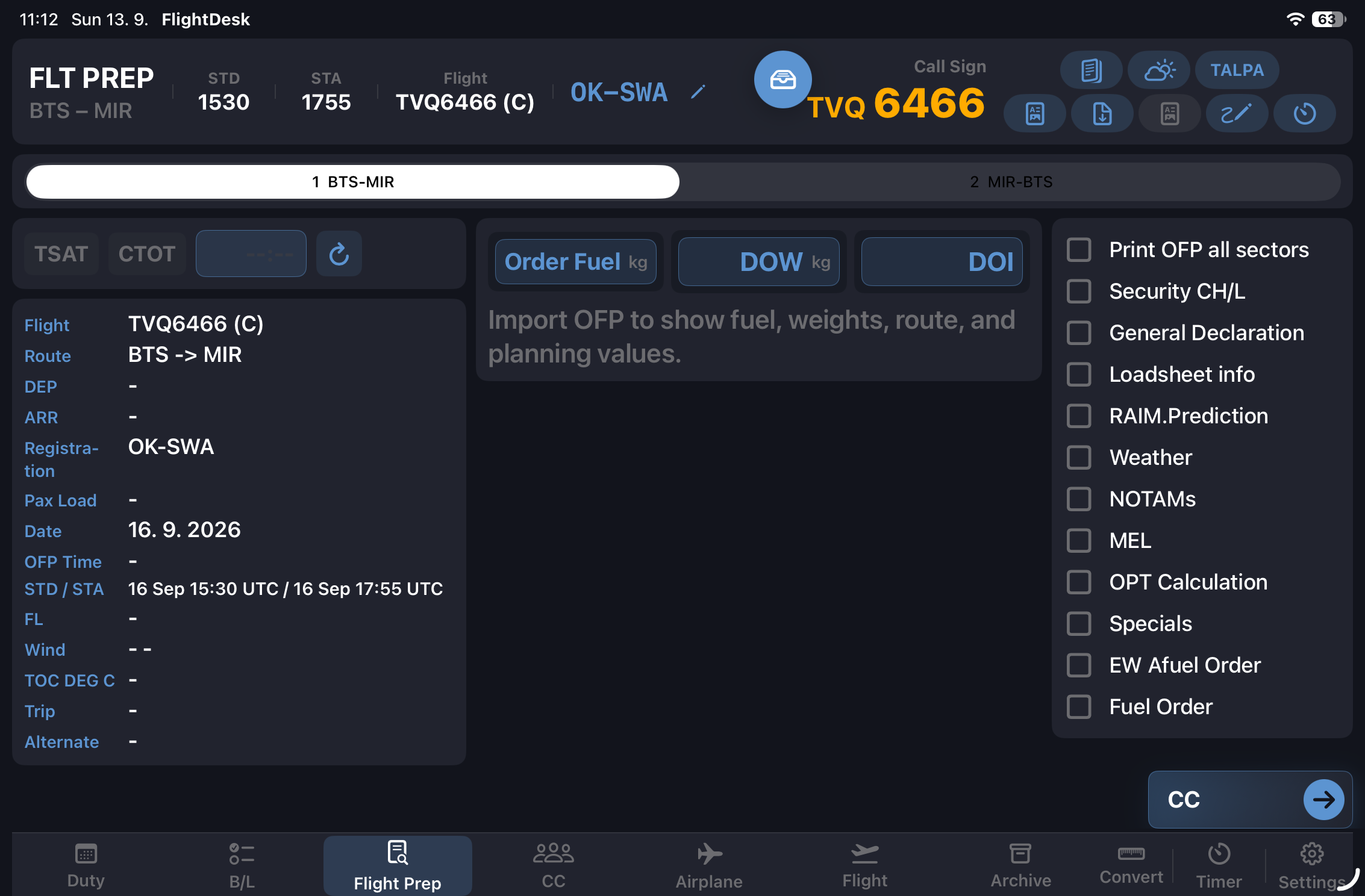
SectorPad flight preparation screen

Flight Preparation

  • Full OFP data: fuel breakdown, weights, alternates, route
  • Color-coded weight warnings — amber within 800 kg of max, red within 300 kg
  • TOW / MTOW · LAW / MLAW · ZFW / MZFW with live limit comparison
  • Trip Fuel, Taxi, Contingency, Alternate, FMS Reserve, Tankering
  • ZFW ±1000 and altitude deviation fuel comparisons
  • FDP (Flight Duty Period) calculator
  • NOTAM import and display
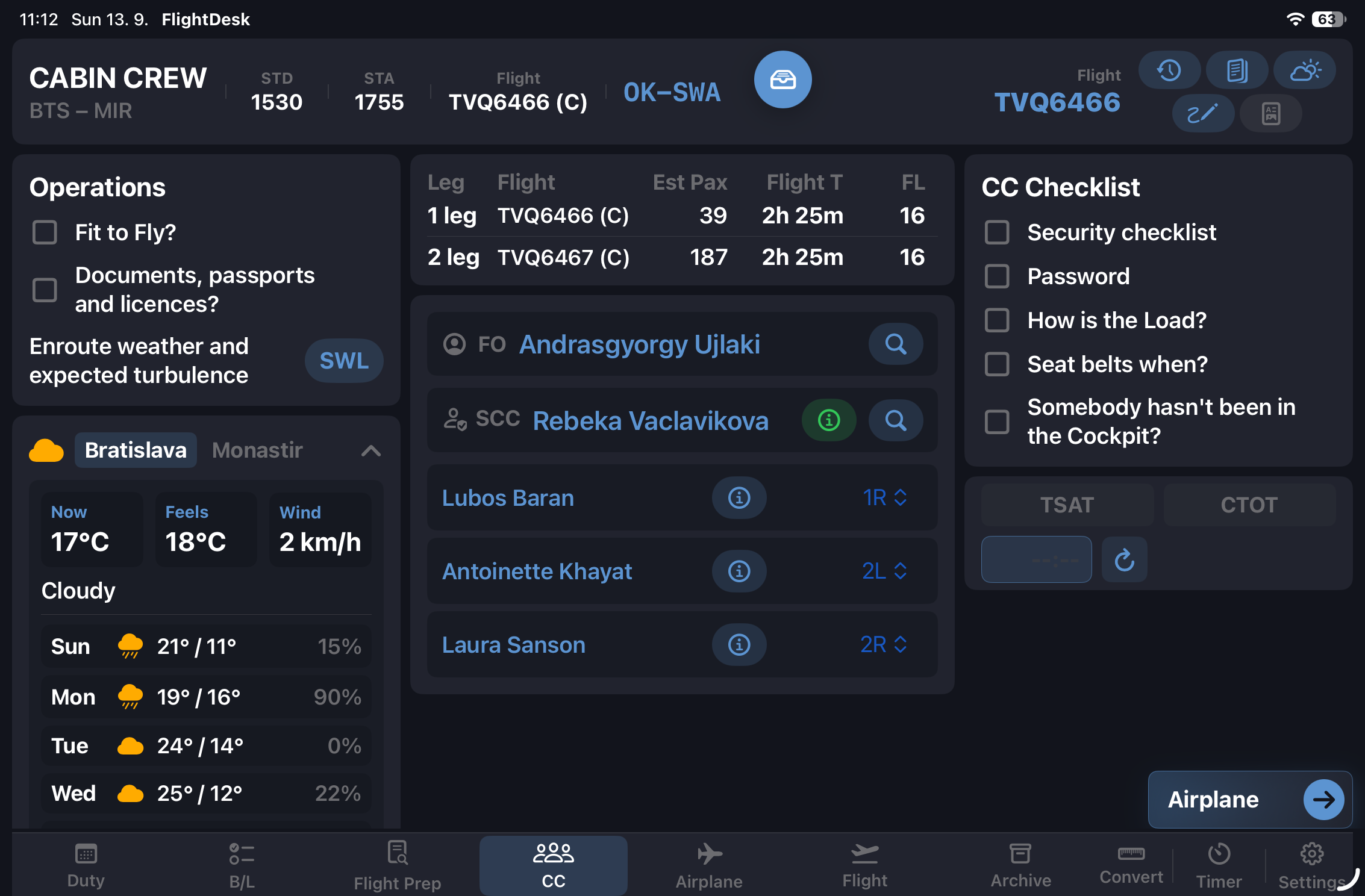
SectorPad cabin crew screen

Cabin Crew

  • Cabin crew briefing checklist
  • Passenger weather display for the destination
  • OFP review within the CC phase
  • Phase-specific document library access
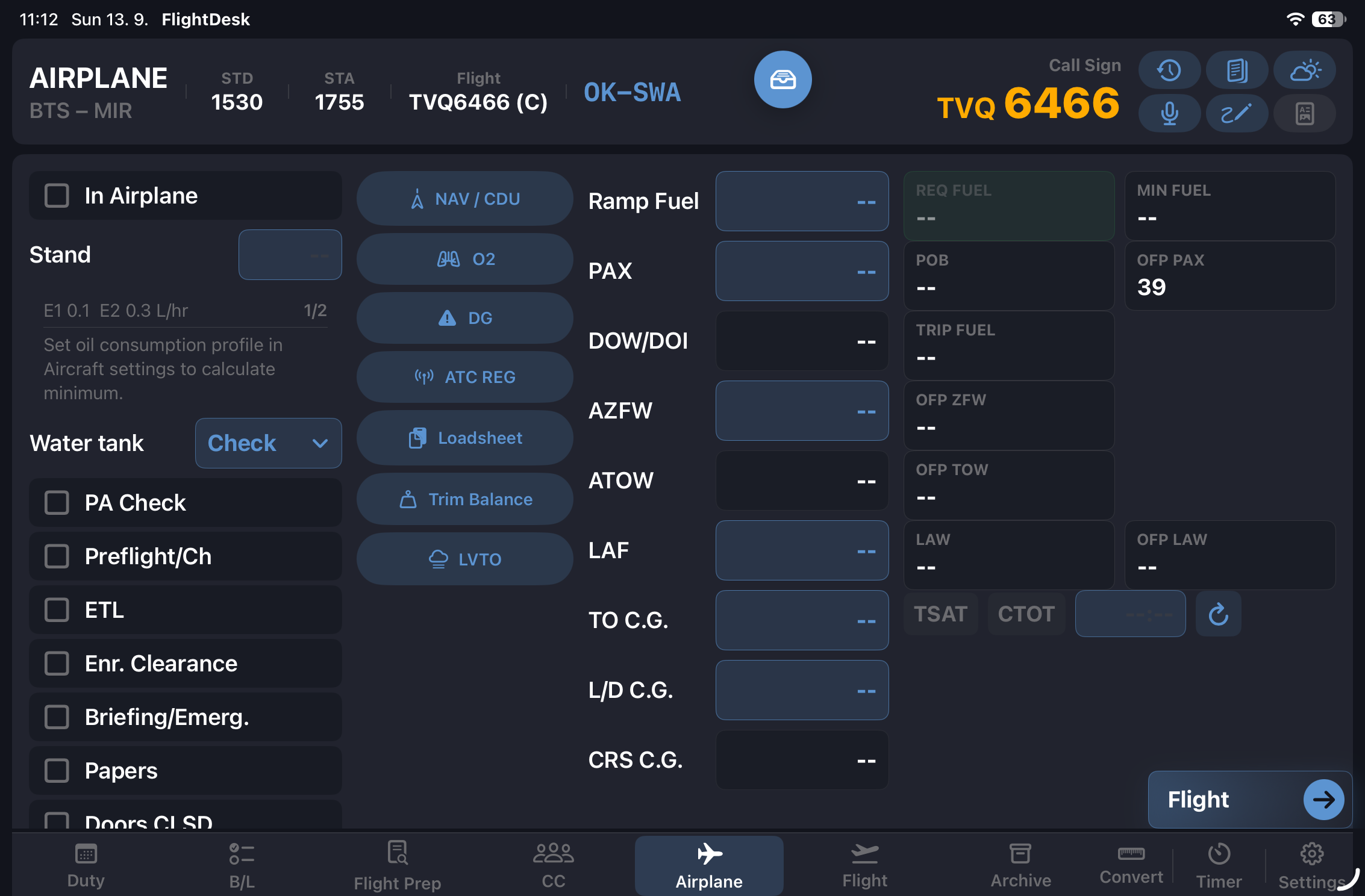
SectorPad airplane phase screen

Airplane Phase

  • Aircraft data panel: registration, type, fuel on board, required fuel, gross weight
  • Loadsheet tools including trim and balance, report display, and copy to clipboard
  • Dangerous Goods code lookup with drill, aircraft/occupant risk, spill/leak, fire-fighting, and additional risk letters
  • ATC Regulations reference
  • LVO and TALPA / RCAM (B737 MAX / NG)
  • Crew Oxygen reference
  • PA announcement tool with live weather integration
  • FlightRadar24 quick link for the active aircraft
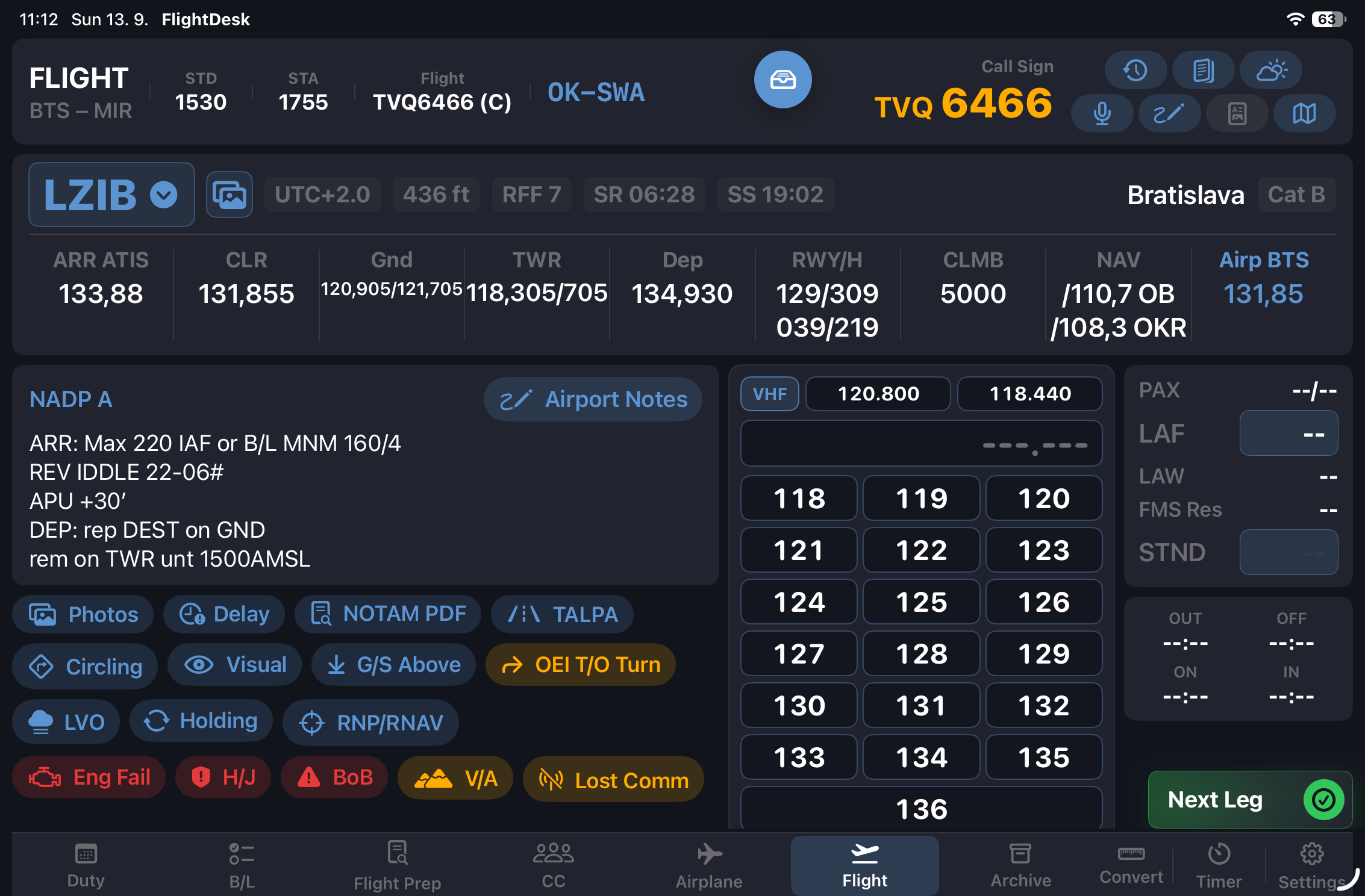
SectorPad flight phase screen

In-Flight

  • Airport notes for departure and destination — persistent per airport
  • Handwritten notes with Apple Pencil support
  • Live METAR / TAF weather panel
  • Delay code search — full AHM 730 database, multi-reason entry, PDF reference
  • Duty photos linked to the active flight
  • Arrival PA announcement generator
  • EFA NOTAMs direct access

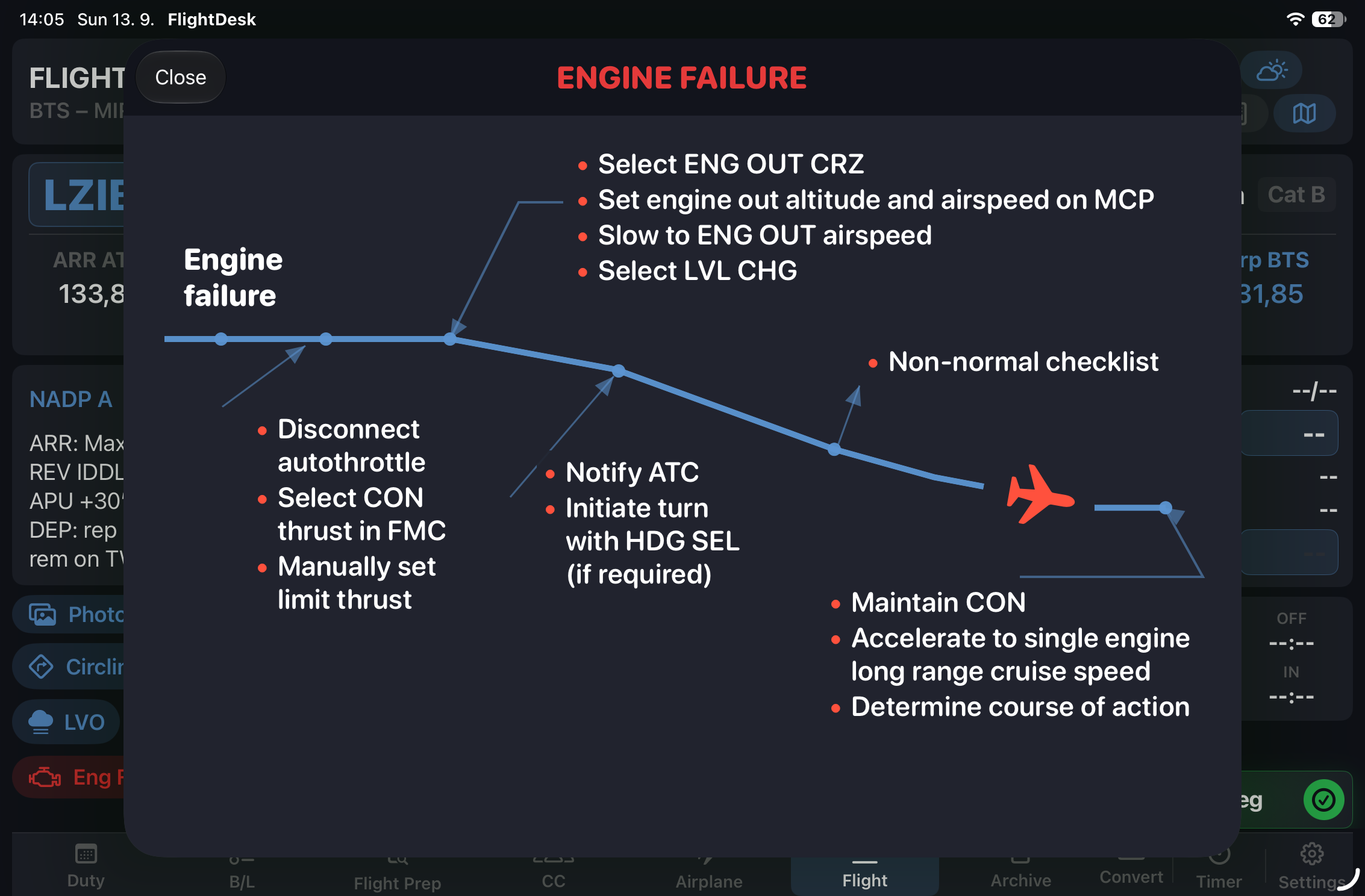
Emergency & Reference Procedures

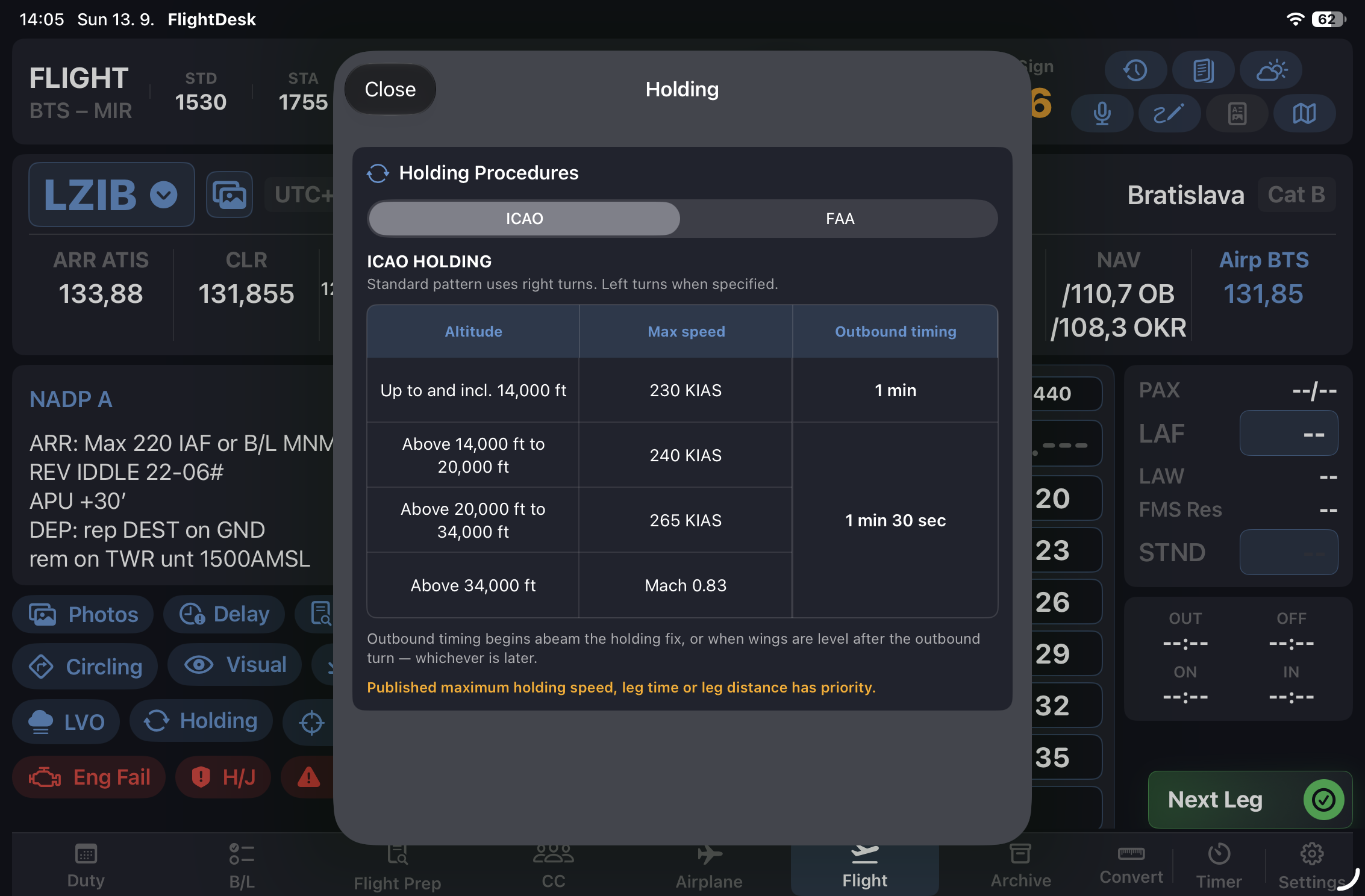
SectorPad engine failure reference screen SectorPad holding procedures reference screen
  • LVO — Low Visibility Operations minima and procedures
  • TALPA — RCAM crosswind limits and runway condition codes (B737 MAX / NG)
  • NAT HLA — North Atlantic contingency procedures with illustrated diagram
  • G/S Above — Intercepting the glideslope from above
  • Circling / Visual — Approach reference procedures
  • Eng Fail — Engine failure in cruise
  • H/J — Hijack: transponder 7500, PAX announcement text
  • BoB — Bomb on Board: On Ground / In Flight tabs, transponder 7700, anonymous and real threat PAX announcements
  • V/A — Volcanic Ash: condition indicators, caution, 8-step procedure
  • Adv. Wx — Adverse weather: runway condition definitions and cold weather procedures
  • RNP / RNAV — Requirements and RNP approach reference
  • Lost Comm — IFR procedure with SERA applicability map by state, plus light signals reference
  • Holding — ICAO and FAA holding procedure tables
  • Flight Risk Assessment — Overall risk score and level across climb, cruise, descent, and approach phases
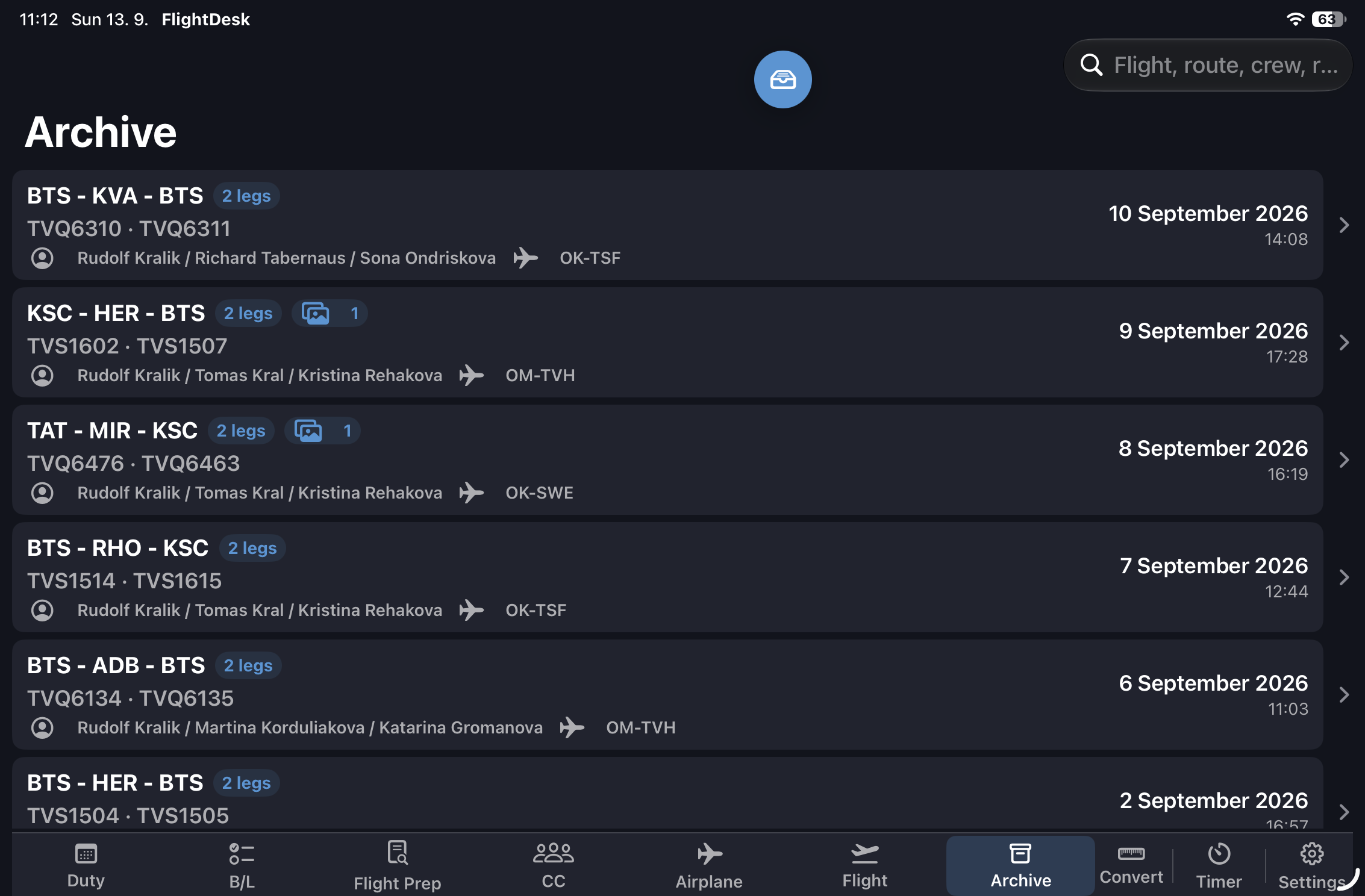
SectorPad archive screen

Databases & Archive

  • Aircraft database — type, MTOW, MLW, MZFW, fuel capacity, equipment
  • Airport database — ICAO / IATA, timezone, country, coordinates
  • Crew database with role and contact details
  • Handwritten notes searchable by airport or flight
  • Flight archive — completed duties with data, photos, notes, and OFP summary
  • Document library — airline PDFs organized by flight phase, with built-in viewer
  • Export to your logbook — one-tap deep-link export of each leg; currently supported: Logger
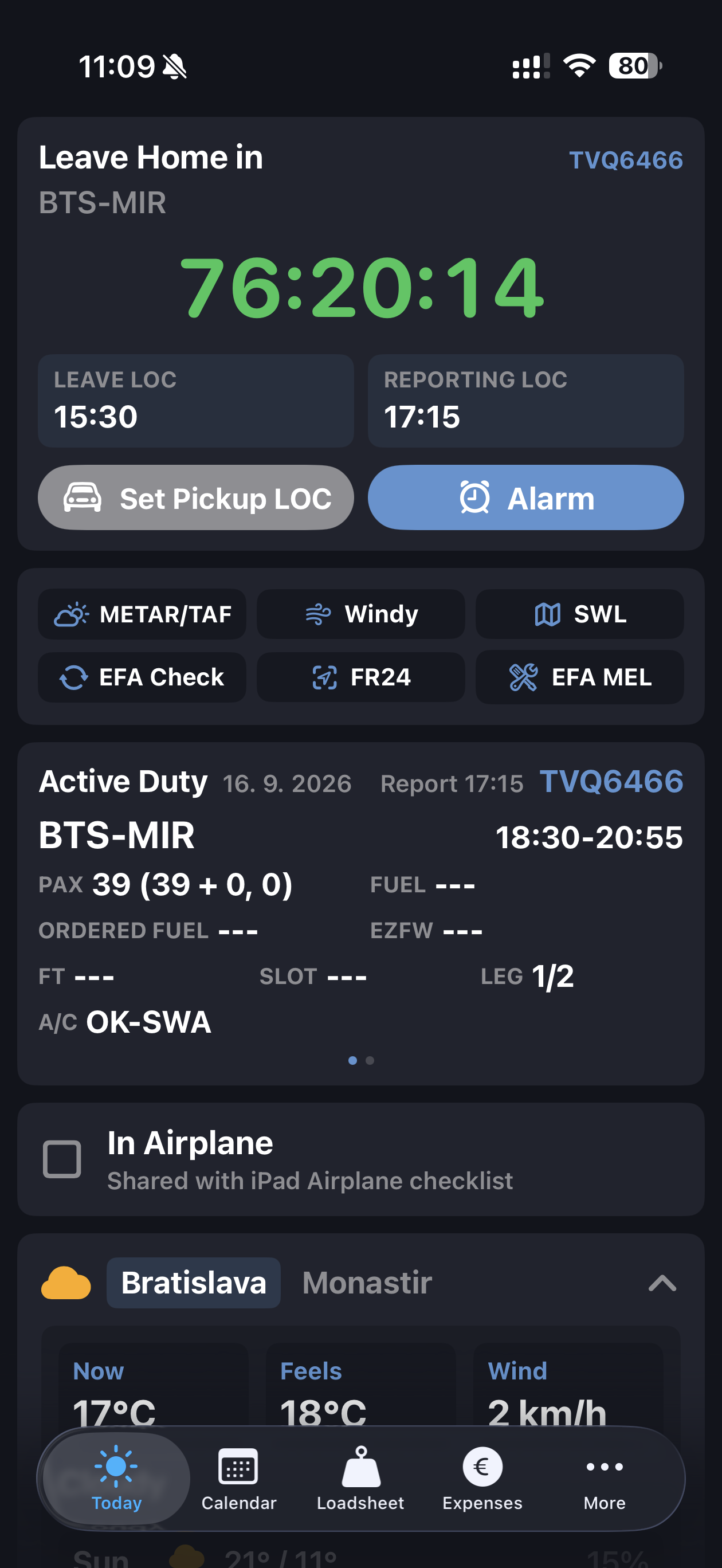
SectorPad iPhone today screen

iPhone Workflow

  • Today — live countdown to pickup or home departure, active duty summary, In Airplane sync, weather, and operational quick links
  • Calendar — duty schedule view for upcoming and recent duties
  • Loadsheet — mobile loadsheet access for quick flight and weight review
  • Expenses — duty expense logging with categories, multi-currency support, receipt photos, and totals
  • More — additional mobile tools and shortcuts for cockpit workflow
  • Quick links include METAR/TAF, Windy, SWL, EFA Check, FlightRadar24, and EFA MEL
  • Pickup manager and alarm scheduler stay one tap away from the Today screen

Route & ATC Frequencies

  • ATC frequency prediction map for upcoming waypoints and FIR entries along the route
  • Personal ATC frequency database, organized by folder
  • Session-based frequency entry with map markers

Tools & Utilities

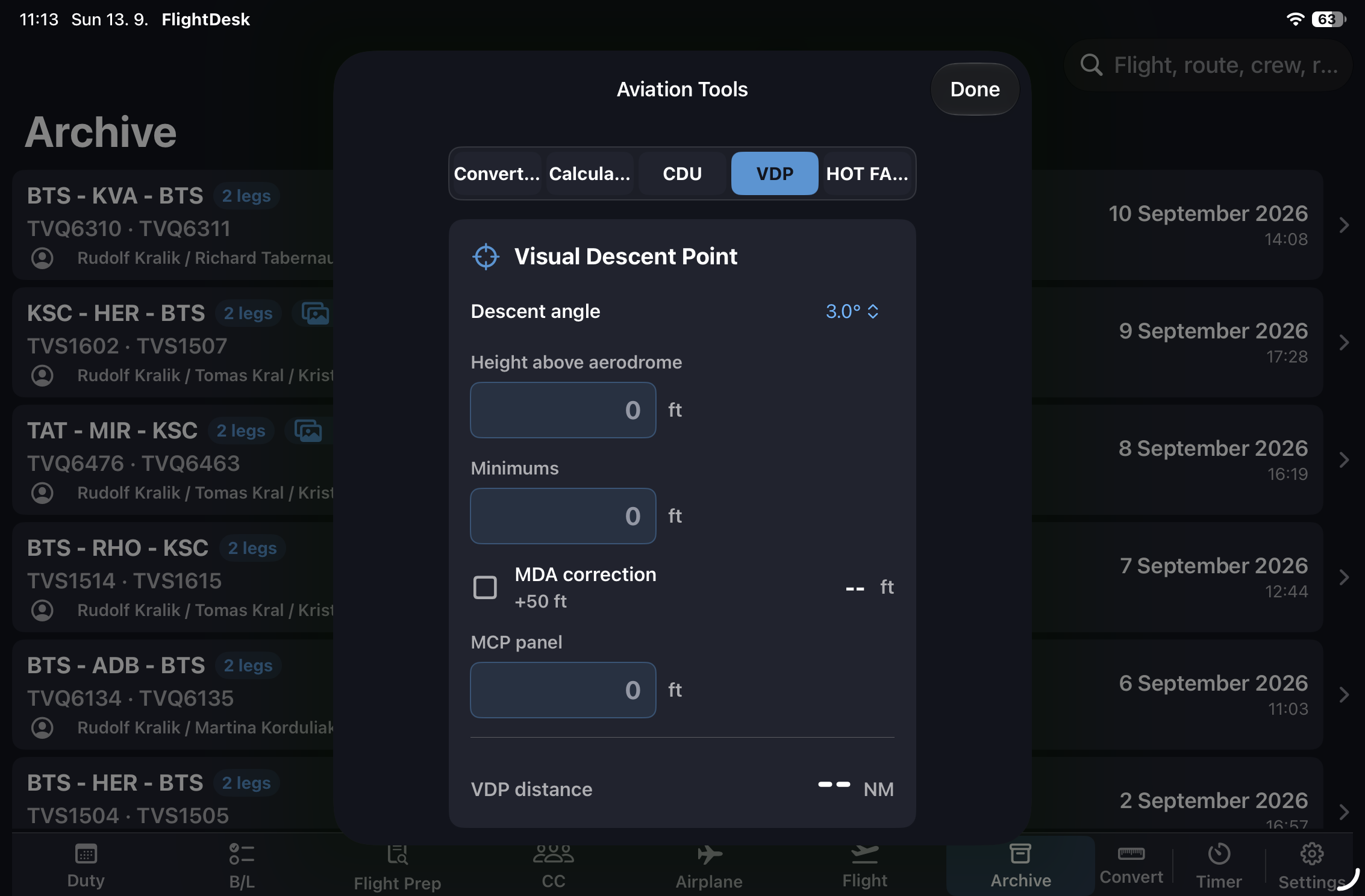
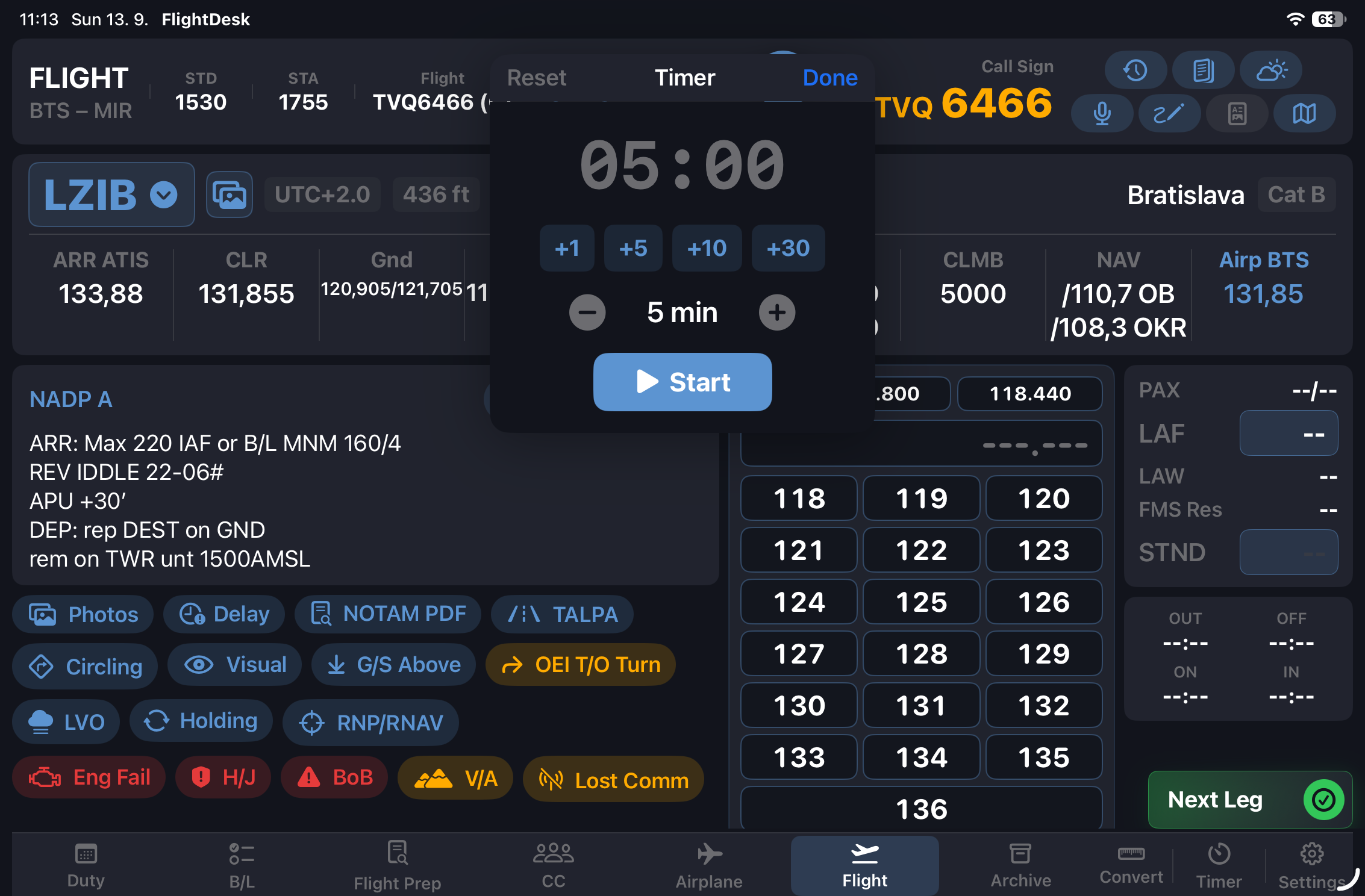
SectorPad aviation tools screen SectorPad countdown timer screen
  • Aviation converter — ft/m, kg/lbs, nm/km/mi, hPa/inHg, °C/°F, Mach/kt, and more
  • Countdown timer — floating, draggable, color-coded urgency, expiry alert
  • Apple Reminders integration — floating quick-access button from any screen
  • China MFT fuel conversion

Early access

SectorPad is being prepared for real pilot feedback.

Join the early access list if you want to test SectorPad, follow development, or discuss airline workflow requirements.

Contact SectorPad